
Your AI visibility — how often your brand is mentioned or cited by AI models — plays a major role in whether customers ever find you.
Open ChatGPT and ask: “What are the best options for [your product or service]?”
If your company isn’t mentioned, that’s a problem. You might still be ranking in Google, but if AI systems don’t recommend your brand, you’re missing a large piece of the puzzle.
In this guide, I’ll walk you through a four-step AI visibility audit.
You’ll learn how AI systems currently describe your brand, whether your site is actually crawlable, and how to assess your off-site authority.
Free audit template: Download our free AI Visibility Audit Template, including a checklist and prompt tracker, to follow along with the audit steps below. By the end, you’ll know how visible your brand is in AI systems and have a clear plan for next steps.
Step 1: Audit Your Brand’s AI Visibility
The first step in your AI visibility audit establishes your baseline across two levels: how AI describes your brand directly, and whether it recommends you in category searches.
Check How AI Systems Describe Your Brand
Do AI systems know who you are and what you offer? If ChatGPT lists features you deprecated two years ago (or can’t describe your brand at all), you have a baseline problem to address first.
Start by running a few branded searches in AI systems to see if and how each platform describes you.
It’s best to test multiple platforms, such as ChatGPT, Gemini, Perplexity, and Claude.
Test queries like:
| What is [Your Brand Name]? | What makes [Your Brand Name] different from competitors? | Is [Your Brand Name] worth it? |
| What does [Your Brand Name] do? | What are the main features of [Your Brand Name]? | What are the pros and cons of [Your Brand Name]? |
| Tell me about [Your Brand Name] | How much does [Your Brand Name] cost? | Who should use [Your Brand Name]? |
As you review responses, look for the following:
- Accuracy: Does the description match what you actually do?
- Completeness: Are key products, services, or differentiators mentioned?
- Recency: Is the information current, or is it citing outdated details?
- Tone: Is the description positive, neutral, or flagging concerns?
You’ll also want to pay close attention to sources. Are AI systems pulling from your site, third-party content, or, ideally, both?
If they’re citing your site directly, you control the narrative, and LLMs are more likely to quote accurate, current information.
But if they’re also pulling from reputable third-party sources, such as review sites, comparison articles, forums, and press coverage, it’s a great sign.
AI systems use independent validation like this to decide which brands to cite and recommend.
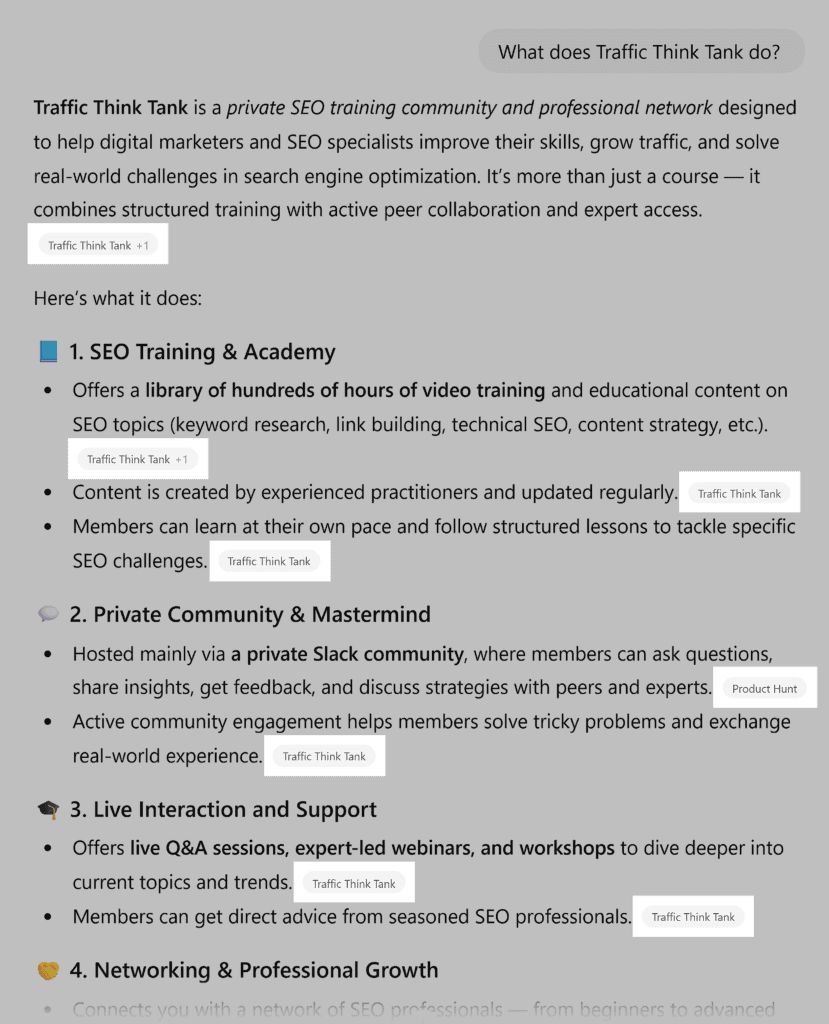
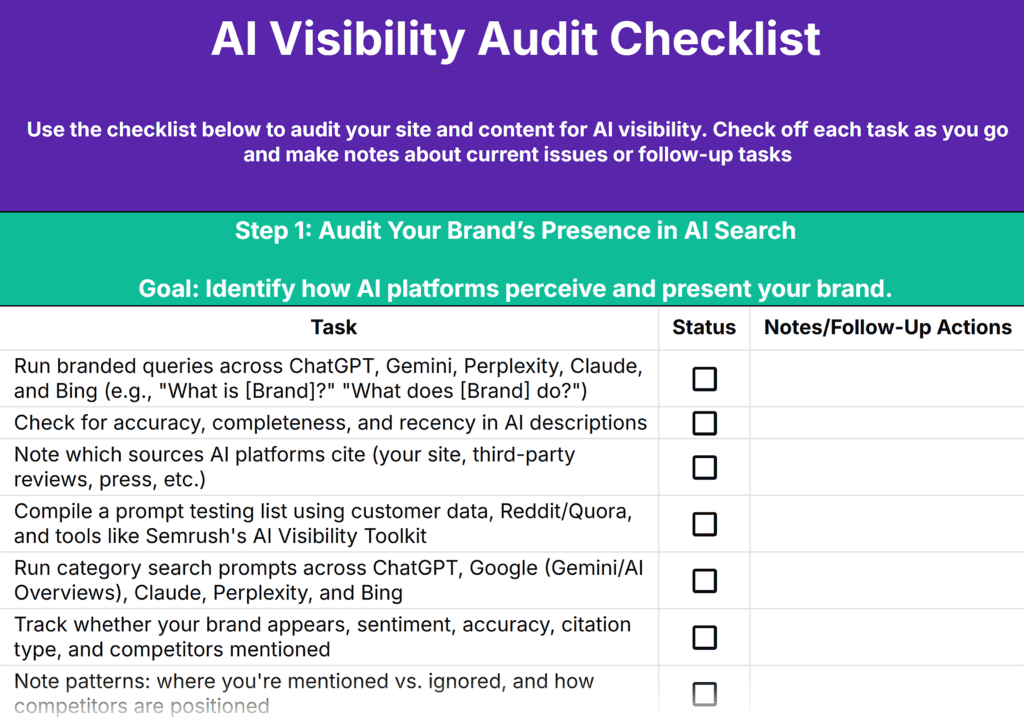
As you work through this step (and the ones below), note your findings in your AI Visibility Audit Checklist.
Once you’re done with the audit, you’ll know exactly which areas to focus on to improve your visibility in AI platforms.
Research Real Buyer Prompts
Now that you know how AI describes your brand, it’s time to test whether it recommends you when potential customers search for solutions like yours.
To do this, you’ll first need to research buyer language and prompts to determine what to test in AI systems.
Start by thinking like your customers. What would they ask ChatGPT or Gemini when looking for a product or service like yours?
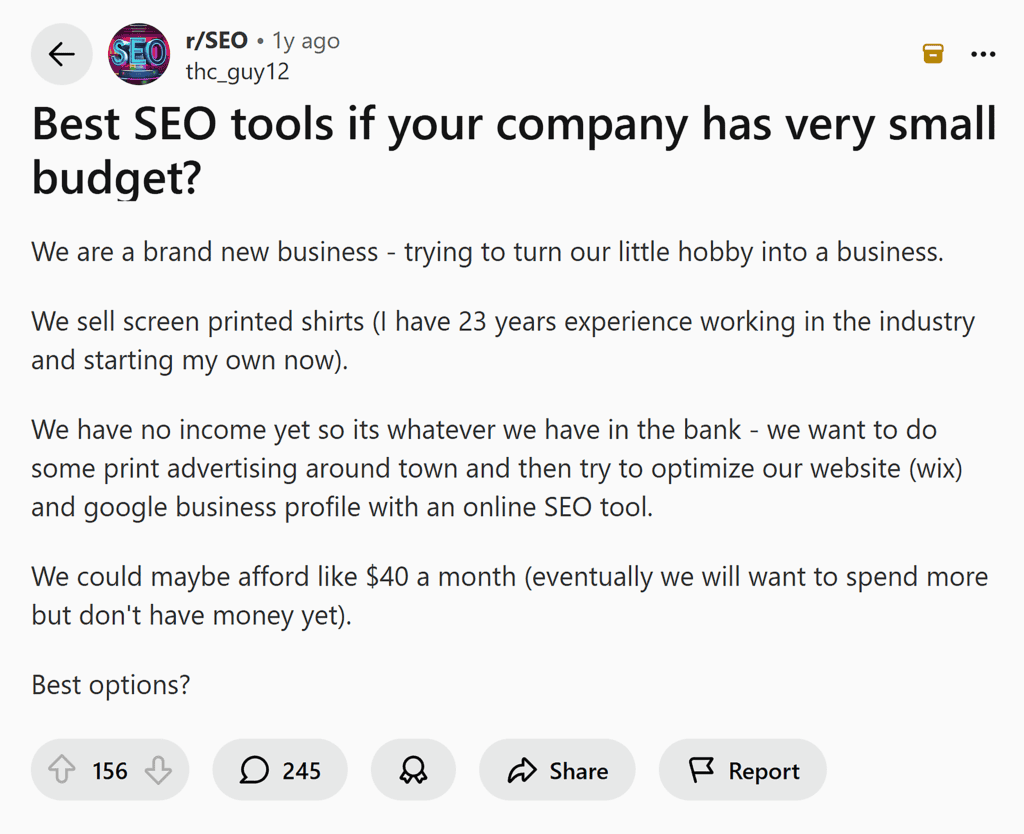
Pull specific phrases and use cases from customer support tickets, sales call transcripts, chat logs, and discussions on Reddit or Quora.
From here, you can research prompts manually or use a specialized AI search tool.
The advantage of a tool like Semrush’s AI Visibility Toolkit is that it shows you the exact language people type into ChatGPT, Gemini, Perplexity, and more, making this step easier, faster, and more accurate.
Here’s how to use it:
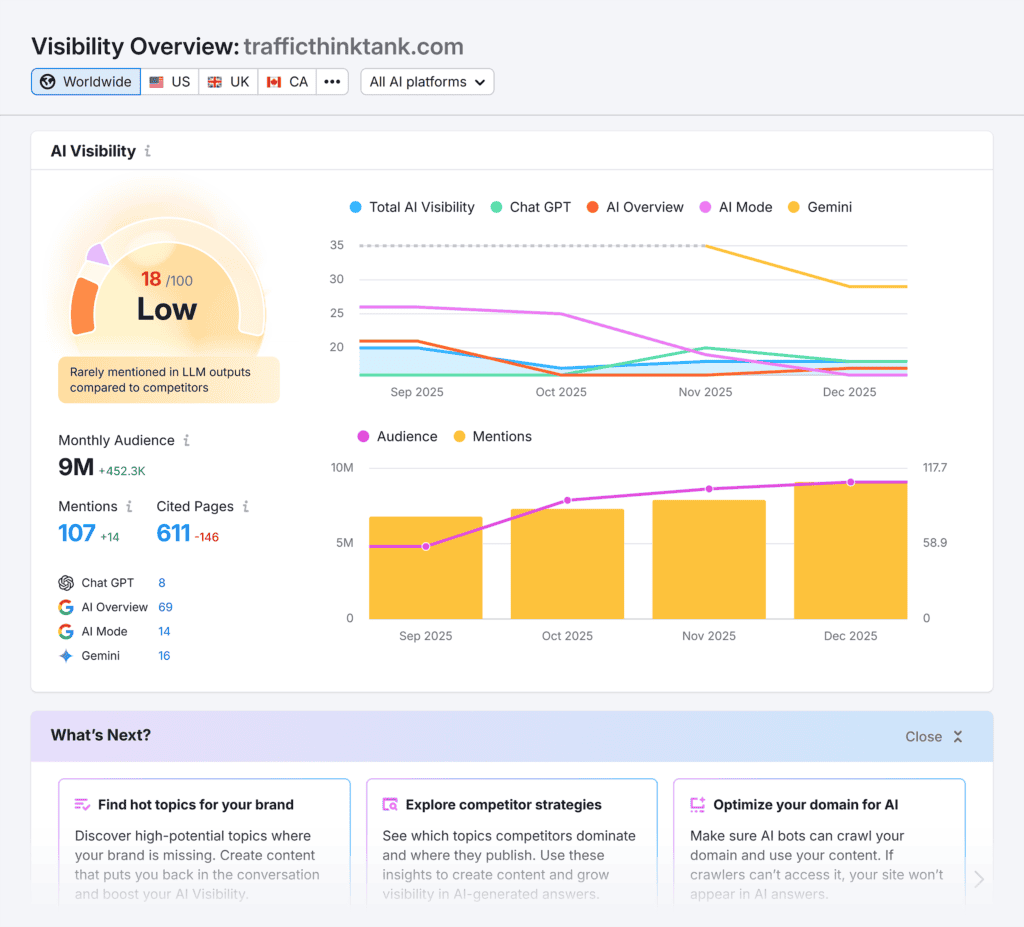
Enter your domain and click “Check AI Visibility.”

You’ll see your AI Visibility score, which is a score out of 100 that tells you how often your brand is cited compared to competitors.
This is great to have as a baseline, and you can track if it increases as you work on your AI search visibility.
There’s also an overview showing the total number of mentions and cited pages your brand has across AI systems.
Next, scroll to the “Topics & Sources” report to learn which topics your brand appears in AI responses for and which ones it doesn’t.
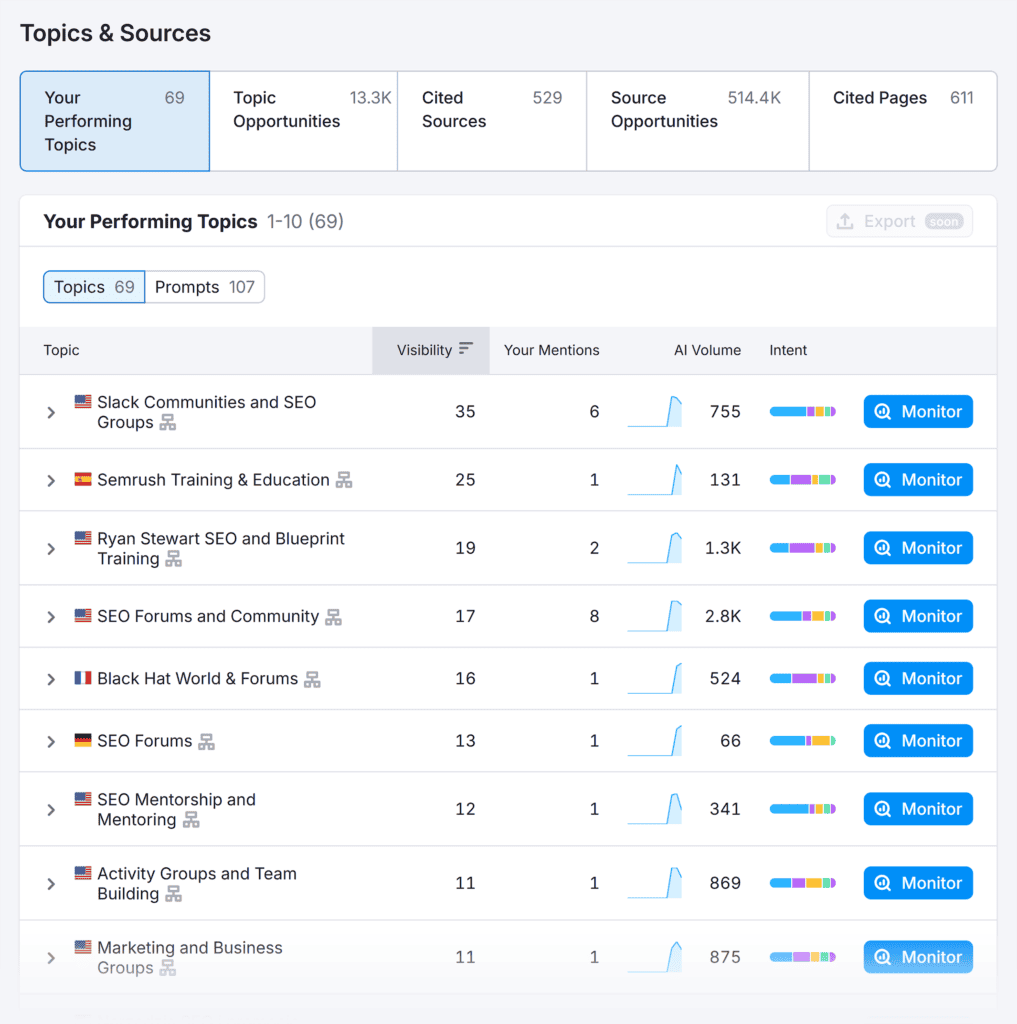
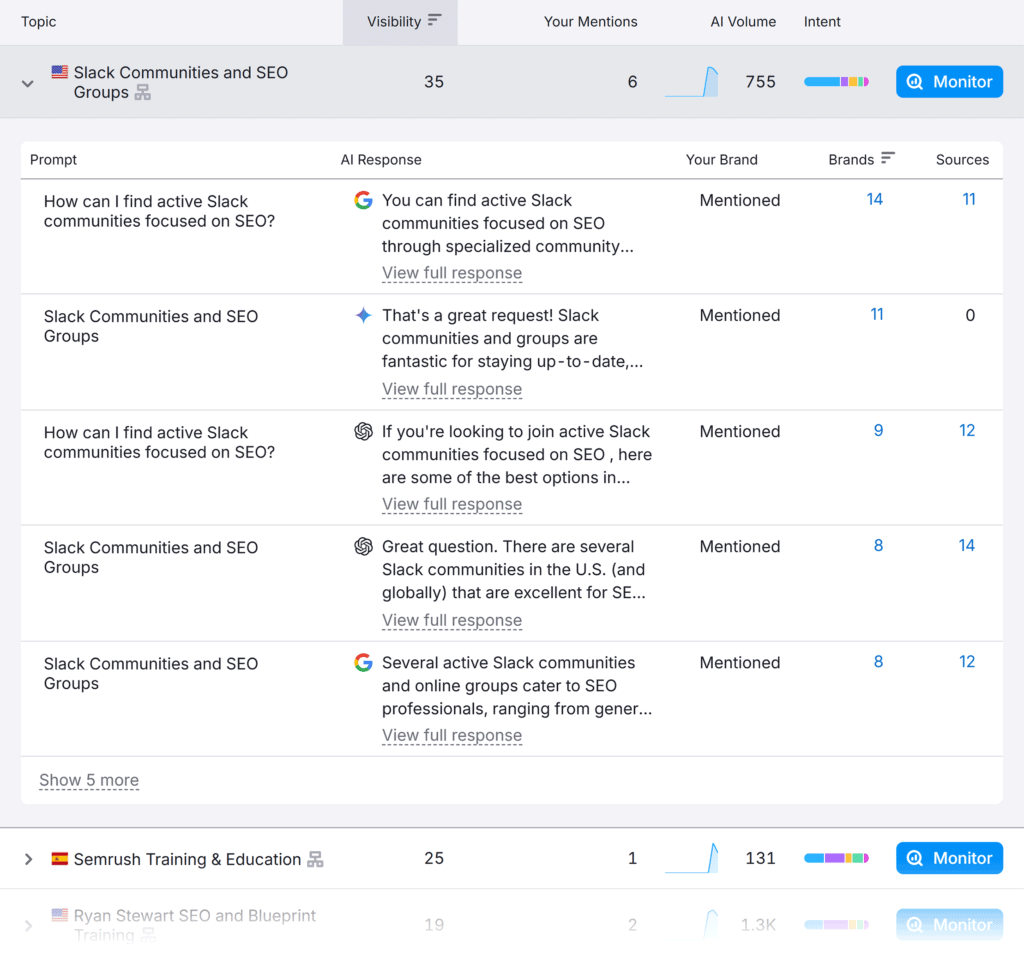
Click any topic to open up the prompt list. You’ll see the language used and the AI’s response.
View the “Your Brand” column to learn whether your brand was “Mentioned” or “Missed” in the prompt and how many sources were cited.
Don’t have access to an AI search visibility tool?
Use Google’s People Also Ask and AnswerThePublic, along with keyword research tools, to identify customer language and queries.
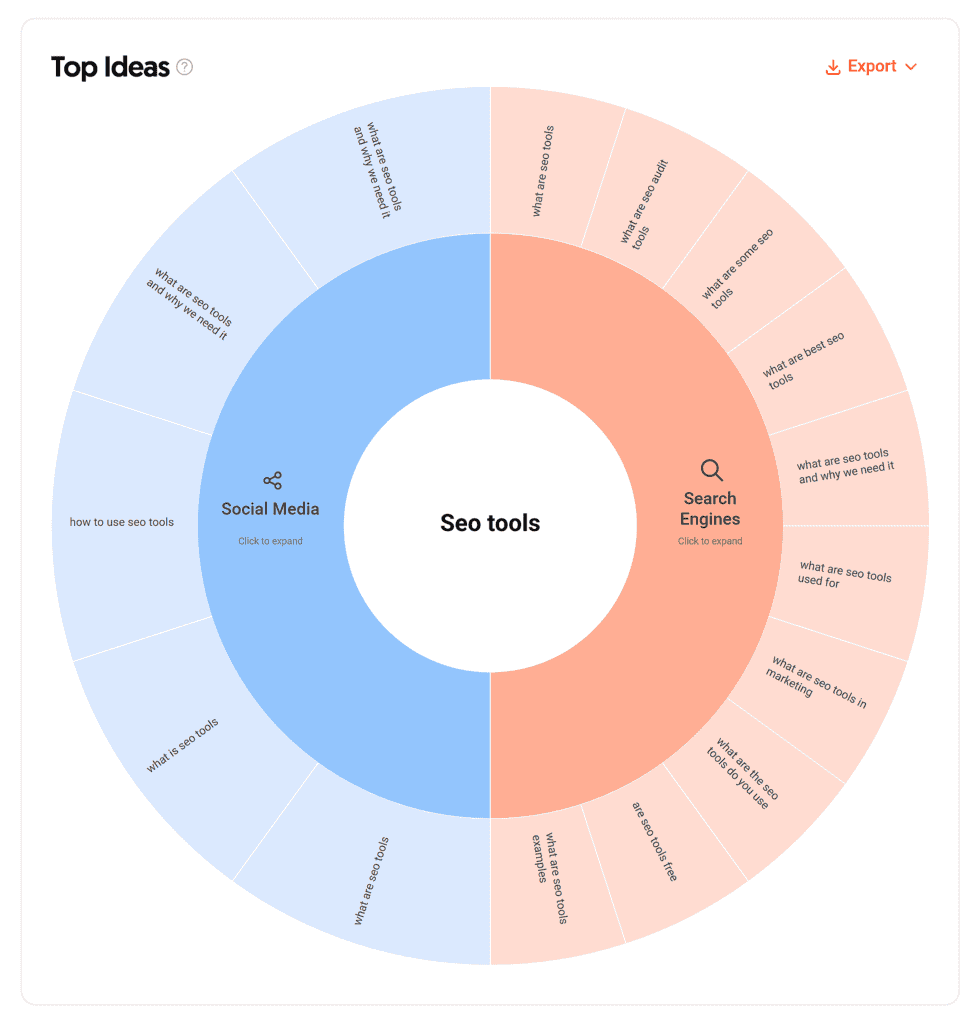
These tools won’t show exactly what people type into LLMs, but they’ll still help you identify relevant language and searches.
Include a mix of broad and specific queries to test different angles of your AI visibility:
For example, your prompt testing list might look something like this:
- Best [product/service] for [audience or use case]
- Top [category] options in [year]
- Which [product type] is best for [specific scenario]?
- [Product type] alternatives to [competitor name] under [dollar amount]
- Where to buy [product or service]
Test Category Searches Across Major AI Platforms
With your prompt list ready, you can start testing.
If you’re using the AI Visibility Toolkit, you can set up prompts to automate this step.
Here’s how:
Click on “Prompt Tracking” in the left-hand menu.
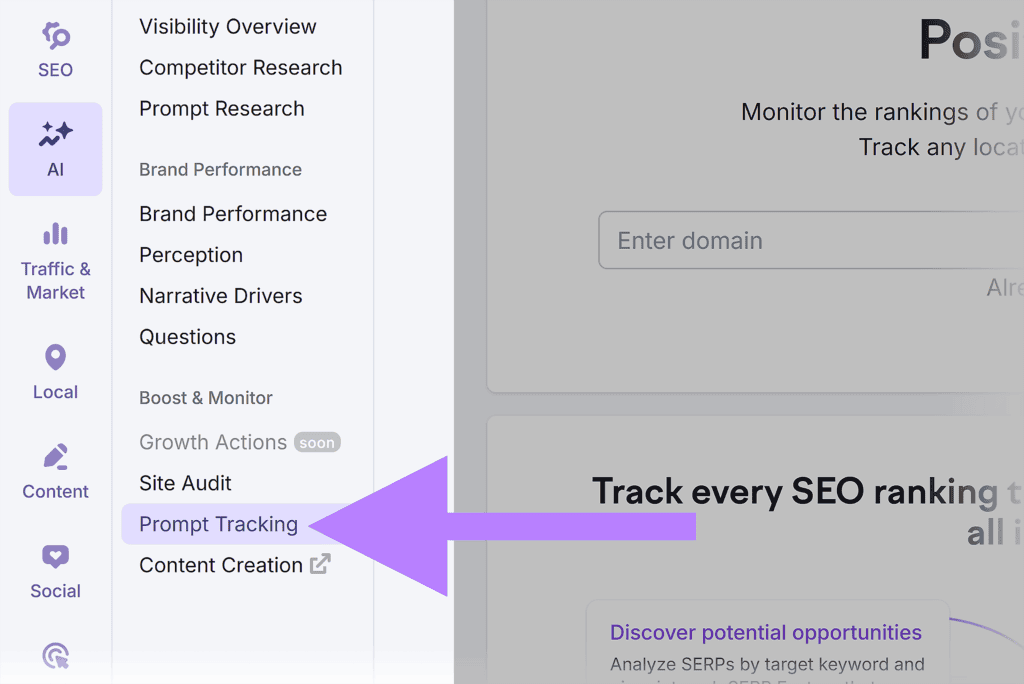
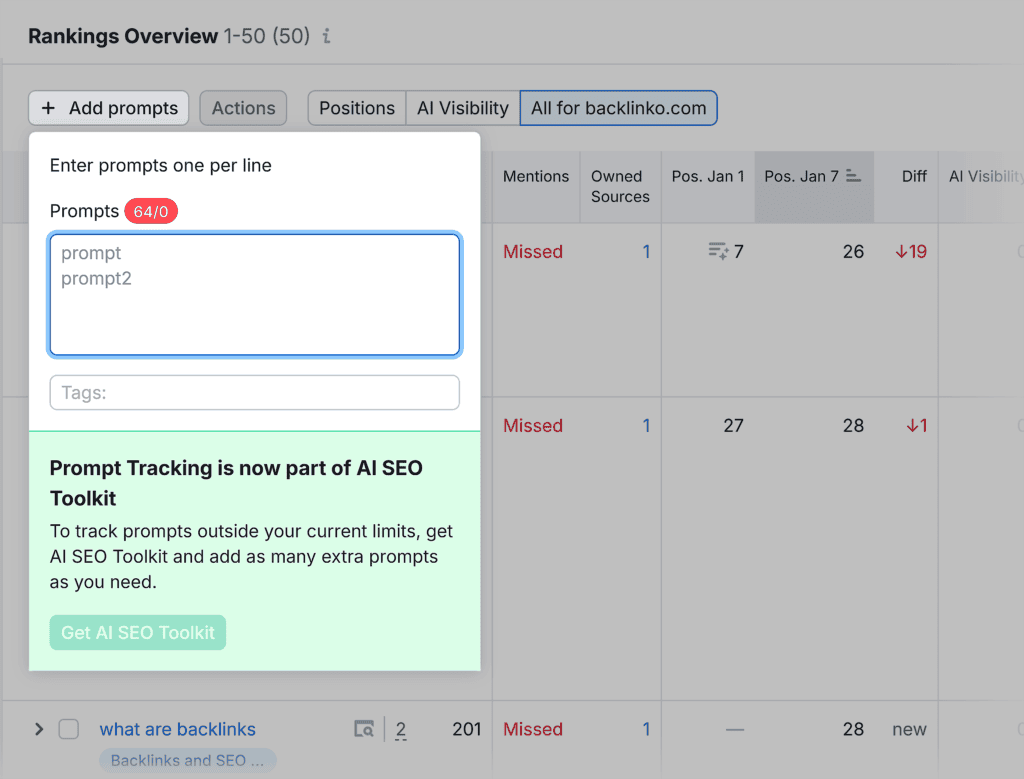
Then, scroll to the “Rankings Overview” report.
Click +”Add prompts” to specify which prompts you’d like to track.
Once the data is in, you’ll learn how your brand performs for these searches and which of your pages are cited by AI systems.
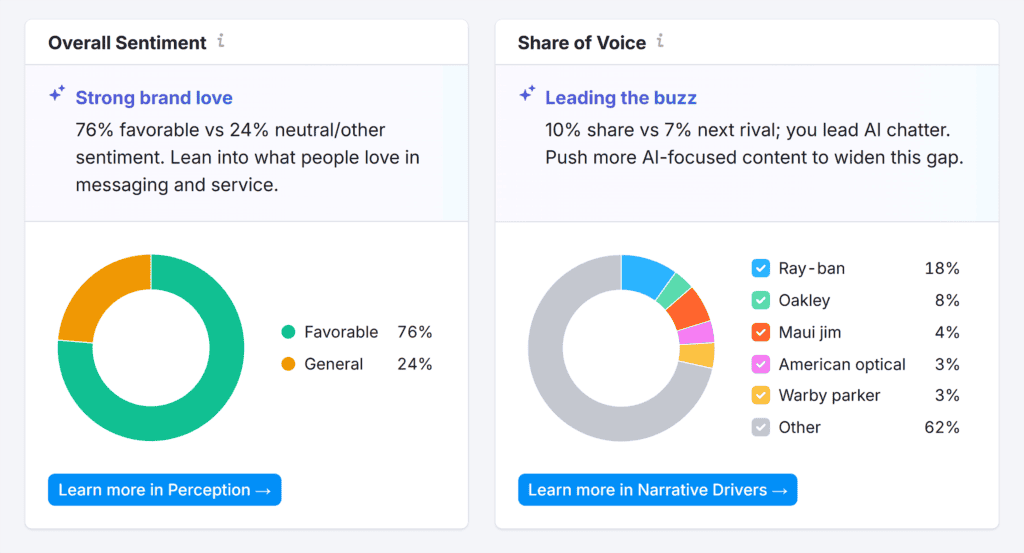
In the “Brand Performance” report, you’ll learn the overall sentiment of your brand mentions across platforms. It also reveals your Share of Voice, which shows how you stack up to competitors in AI responses.
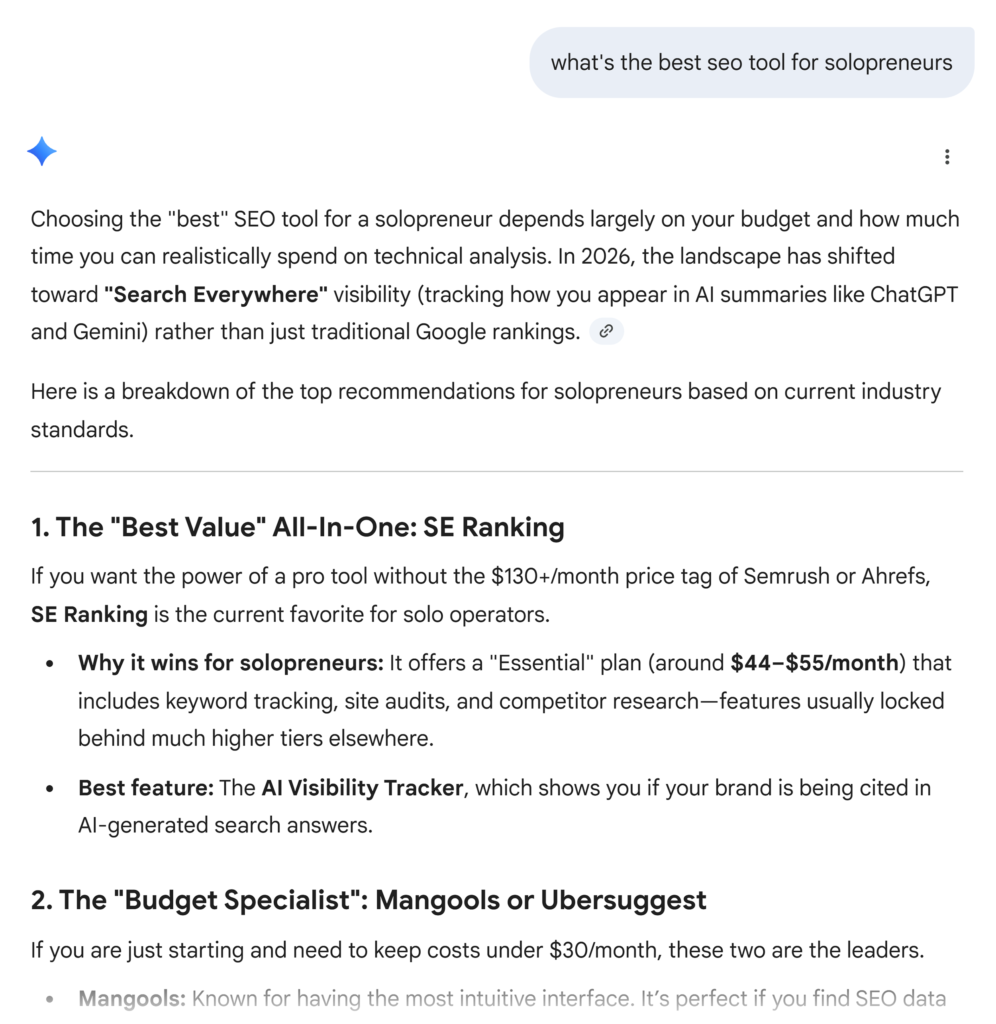
If you’re manually testing prompts, start with these platforms:
- ChatGPT
- Google (check Gemini, AI Mode, and AI Overviews to see if responses differ)
- Claude
- Perplexity
- Microsoft Copilot
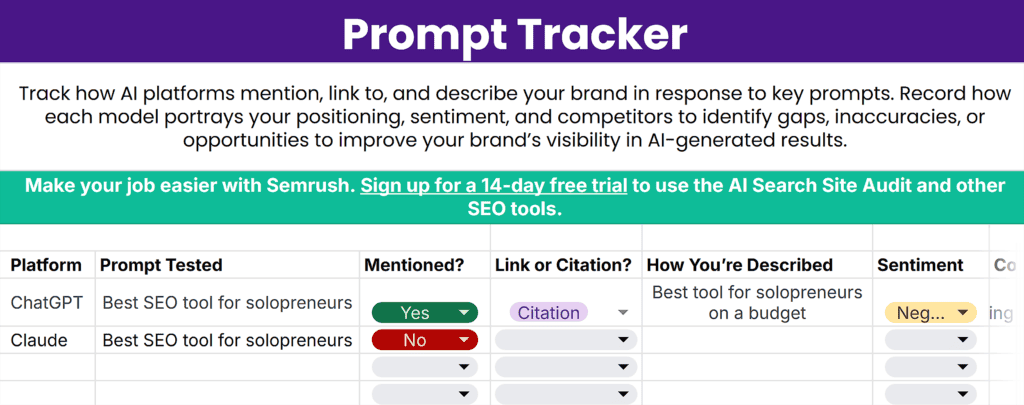
For each prompt, track:
- Whether your brand is mentioned, cited, or recommended
- Sentiment (positive, neutral, or negative)
- Accuracy — current info vs. outdated or incorrect
- Citation type (link, mention only, or nothing)
- Competitors mentioned alongside you
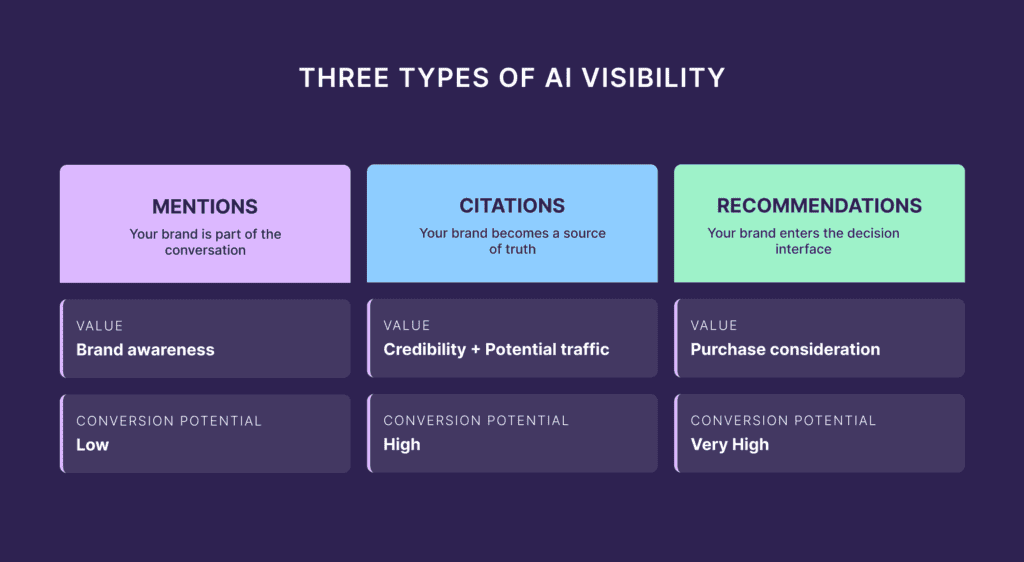
For example, your brand’s visibility and sentiment may vary significantly across platforms. ChatGPT may mention your brand positively, while Gemini’s mentions are negative.
You might also discover that your educational content is frequently cited, but your product is never recommended.
Or maybe your competitors are featured with relevant use cases while you only get a vague mention.
These are the key findings to note in the Prompt Tracker tab of your audit template so you can address any issues or gaps.
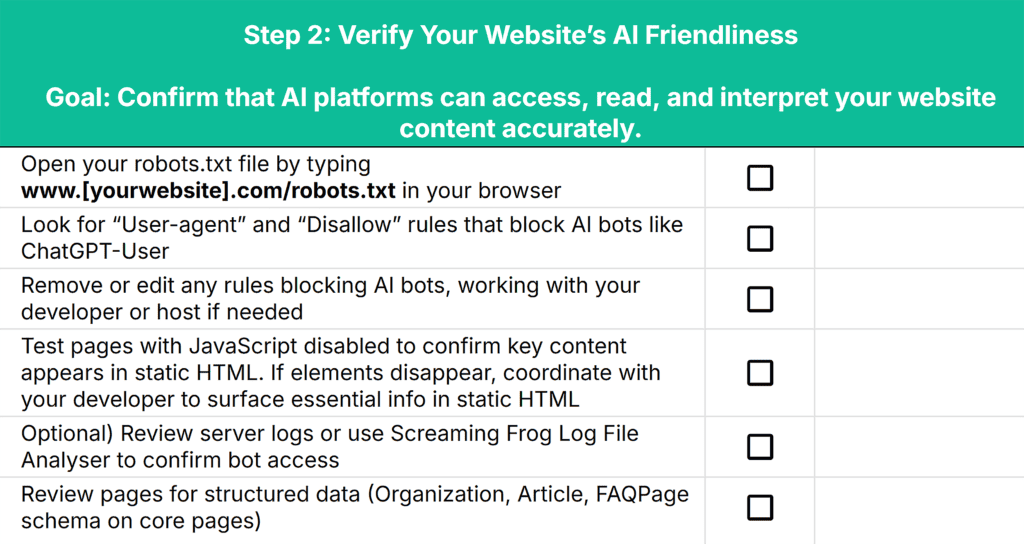
Step 2: Verify Your Website’s AI Friendliness
AI platforms can’t reference you if they can’t reach or read your key pages.
While this extends to any platform where your content lives (social profiles, PR placements, third-party listings), your website is your source of truth and the best place to start.
Check That Your Robots.txt Allows AI Crawlers
Your robots.txt file tells crawlers what they can and can’t access. While access is default (unless you’ve specifically blocked AI crawlers from your site), it’s worth double-checking.
Here’s how:
Go to yourdomain.com/robots.txt.
Make sure there are no disallow lines for bot-specific crawlers like: GPTBot, ClaudeBot, or PerplexityBot.

If you find any, you’ll need to update them to “allow” (or just remove any bot references completely).
If you use a CDN or security layer (e.g., Cloudflare, Akamai), double-check any “bot management” rules. They can override robots.txt.
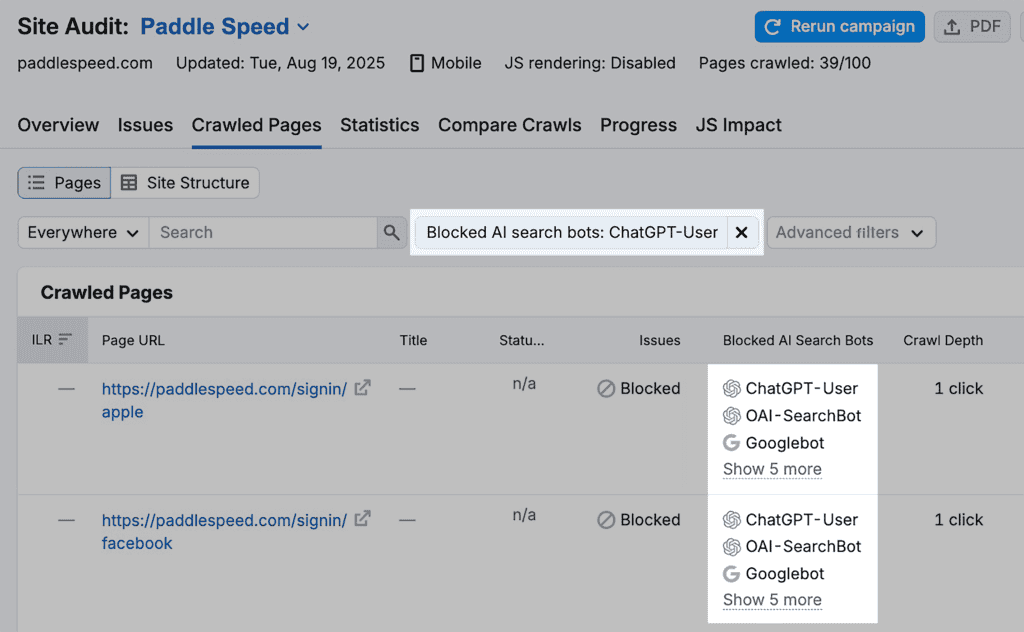
You can also use Semrush’s Site Audit tool to automatically catch any robots.txt rules that are preventing bots from crawling your site.
Note: A free Semrush account gives you three checks in Site Audit per day. Or you can use this link to access a 14-day trial on a Semrush Pro subscription.
Site Audit includes a “Blocked from AI Search” column in the “Crawled Pages” report, so you’ll instantly know if there are any issues with your robots.txt.
Verify That Important Content Isn’t Hidden Behind JavaScript
Even if AI crawlers can reach your site, they might not be able to see what’s on it. Many don’t execute JavaScript, which means any content that loads dynamically — like pricing tables, product specs, or hero copy — may be invisible to them.
Here’s how to test this on your site:
- Open a product or service page on your site
- In Google Chrome, navigate to “Settings” > “Privacy and security” > “Site settings”
- Under Content, click “JavaScript” and switch the setting to “Don’t allow sites to use JavaScript”
- Refresh the page you’re testing to see if it changes the visibility of any elements or content
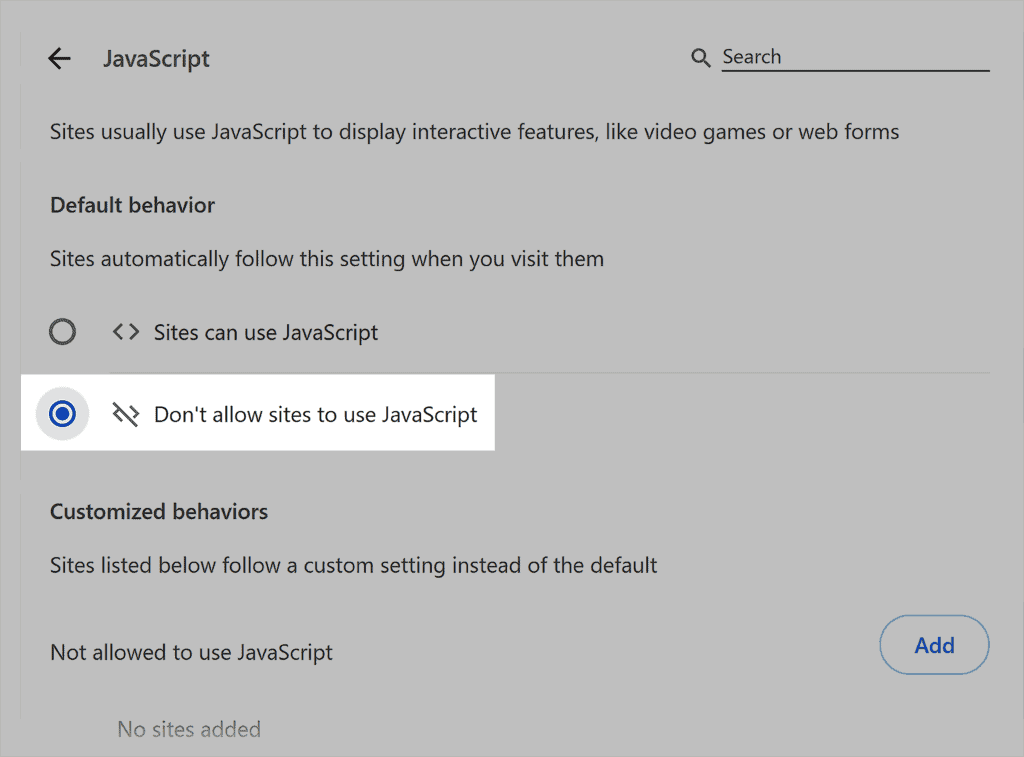
If details disappear, you’ll know the content is only being loaded through JavaScript.
To resolve this, ask your developer to ensure all essential information is included in the page’s static HTML. This way, both AI crawlers and human visitors can read your content without relying on scripts to render it.
Confirm Bot Access in Your Server Log (Optional)
Even if your robots.txt allows crawlers, bots can still be blocked at the server level. While this step isn’t essential, it will confirm your crawl settings are working as intended, so it could be worth the extra effort.
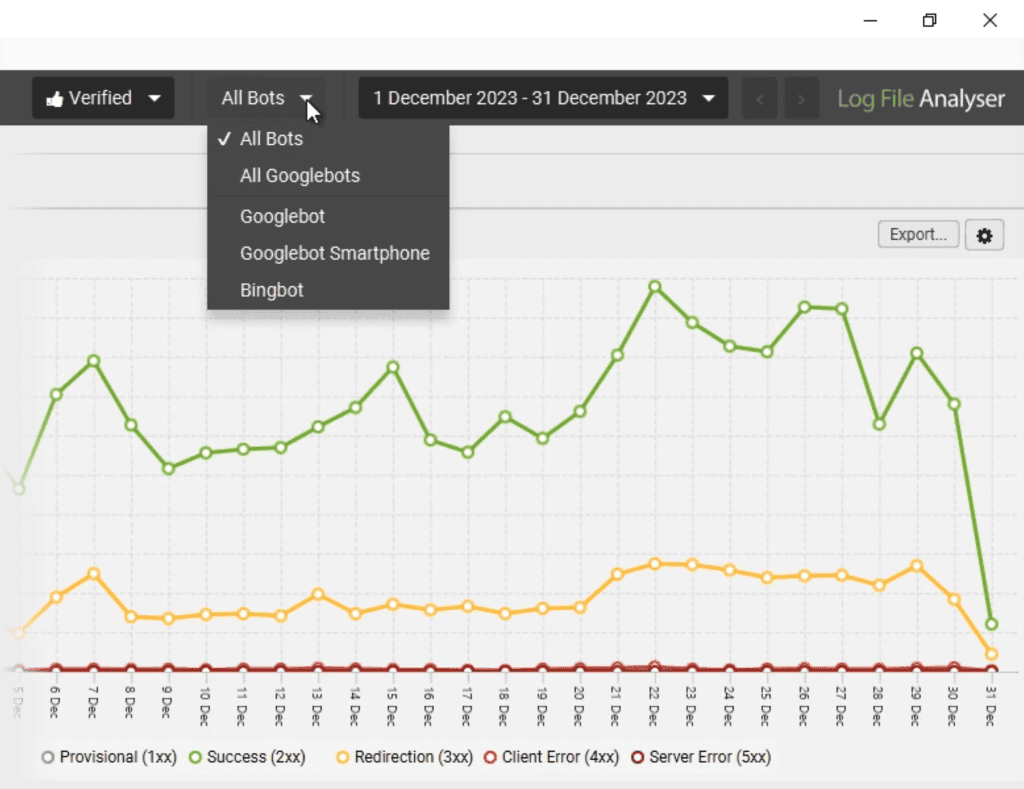
Ask your development team or hosting provider for a 30-day access log export. Look for user agents such as GPTBot or PerplexityBot accessing your public pages.
Another option is to drop the logs into Screaming Frog’s Log File Analyser and filter by user-agent to confirm hits to your priority URLs.
Review Pages for Structured Data
Structured data helps search engines understand your content.
Whether it directly helps LLMs is less clear, as schema likely wasn’t included in LLM training data, and gets stripped during processing.
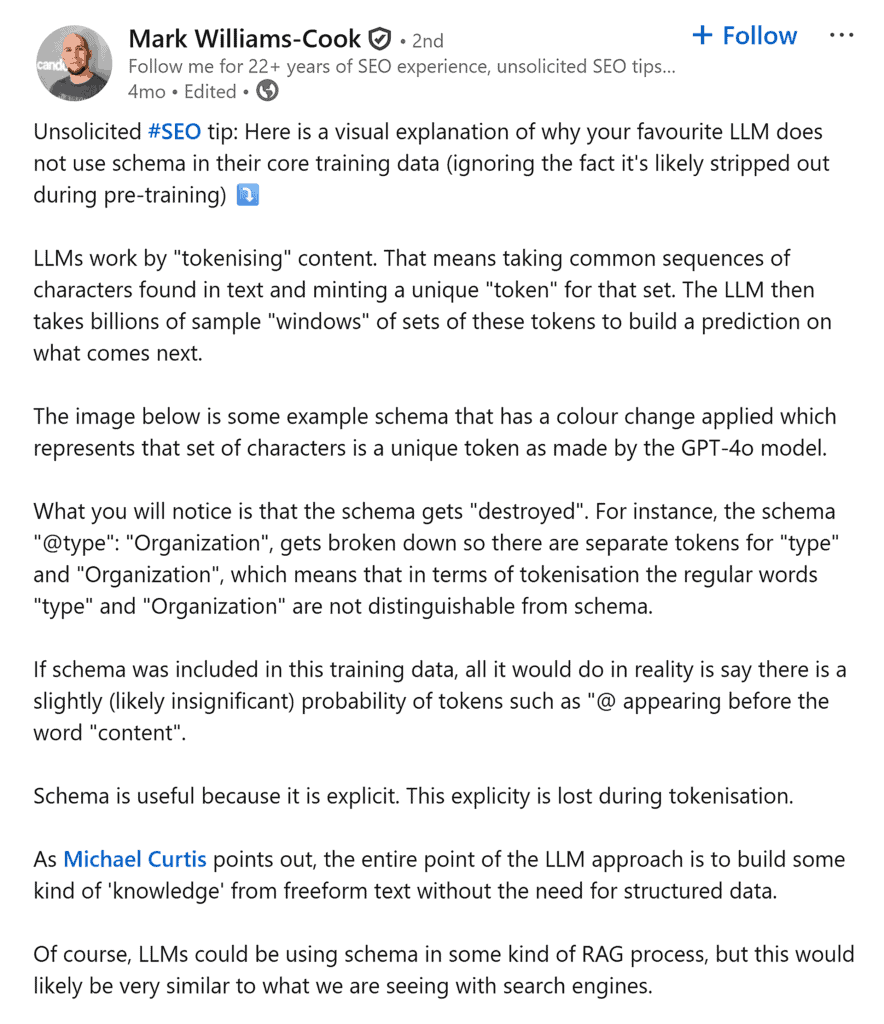
That said, schema may still play a role in retrieval systems that feed AI responses, and it remains good practice for traditional SEO.
If you’re implementing it, focus on the basics: Organization, Article, and FAQPage schema on your core pages, in static HTML.
If you find any factors that could be affecting your AI search engine optimization, jot them down in the ‘notes’ section of Step 2 in your audit template.
Further reading: Does Your Website Need an LLMs.txt File + How to Create One
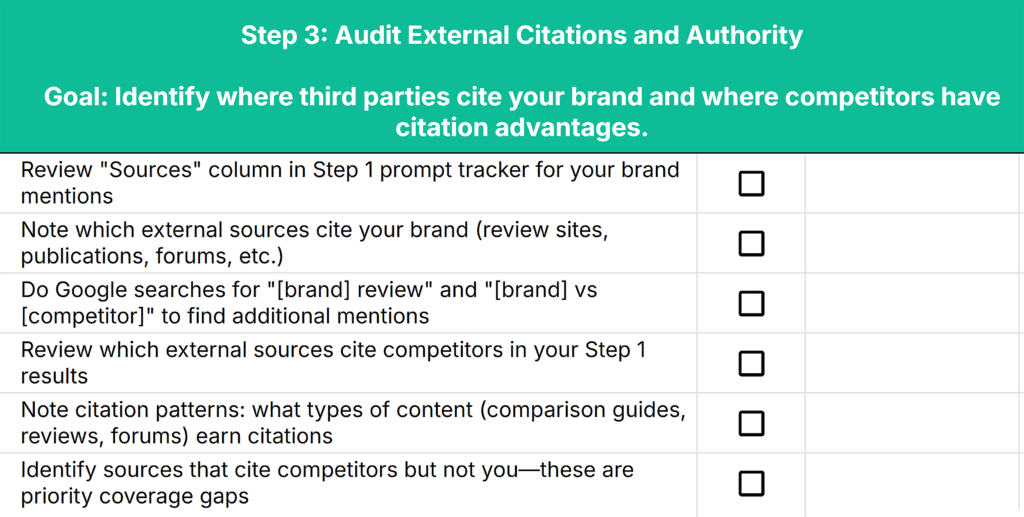
Step 3: Audit External Citations and Authority
The strongest factor in AI visibility is whether reputable third parties cite, review, and mention your brand. The more credible sources reference you, the more confident AI systems are in recommending you.
This step helps you assess the strength of your online presence and reputation and identify any gaps.
Review Third-Party Citations for Your Brand
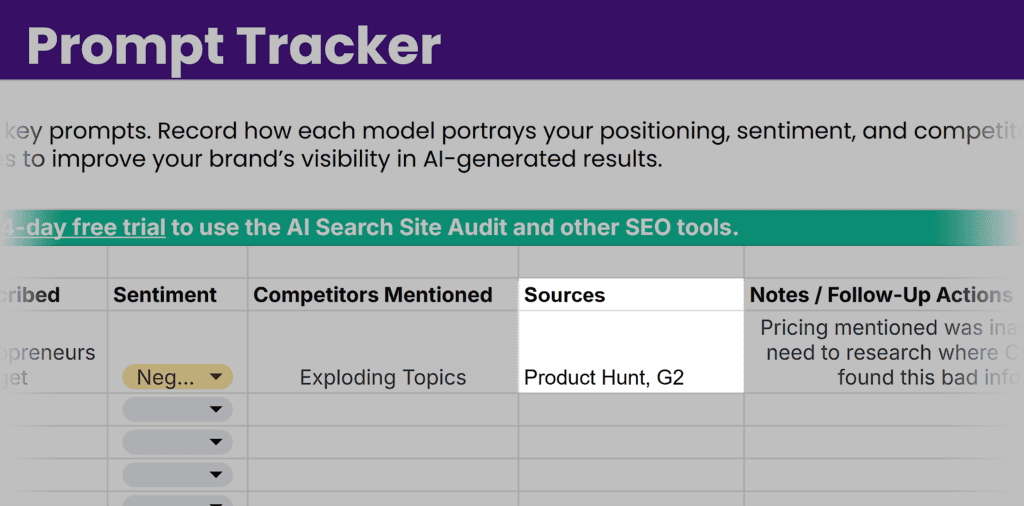
If you’ve been auditing your site as you read this article, your Prompt Tracker will contain helpful information for this step.
Review the “Sources” column, focusing on prompts that mention your brand. Look at which external sources AI platforms used when citing or recommending your brand.
Was your site regularly referenced by the following sources?
- Product review sites and comparison articles
- Industry publications and trade press
- Community discussions (Reddit, Quora, niche forums)
- Case studies or customer success stories on other sites
- Expert roundups or “best of” lists
Then, conduct a few targeted Google searches like “[your brand name] review” or “[your brand name/product] vs [competitor]” to see where else you’re mentioned externally that may not have surfaced in AI results.
Check big industry sites, review platforms, and forums directly to assess your presence and note your findings in the Audit Checklist.
The goal is to identify where your brand has external validation and where it doesn’t, so you can develop a strategy to improve your online presence.
Identify Competitor Citation Advantages
Now shift your focus to competitors.
The third-party sources that publish content about your competitors — but not you — represent your biggest coverage gaps and top outreach priorities.
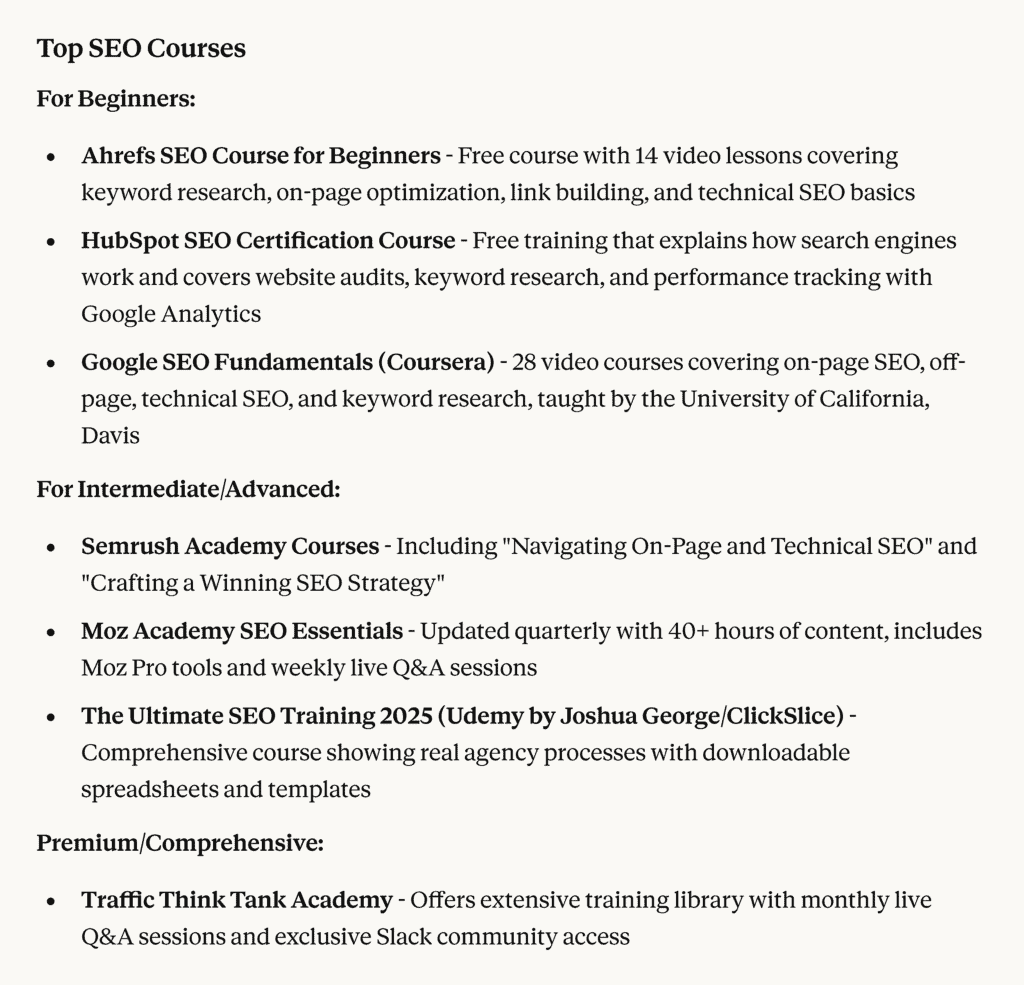
Pay attention to the types of competitor content cited by AI systems: comparison guides, pricing explainers, product roundups, community discussions, or industry publications.
This reveals which third-party formats and publications carry weight with AI systems in your category. If competitors consistently get cited from review sites you’re not on, or appear in Reddit threads where you’re absent, those are your priority coverage gaps.

Also, note whether competitors are recommended as a top solution or as sources of information. Brands cited as solutions receive more AI visibility than those referenced only for educational content.
Record your findings in the “Step 3” section of your AI Visibility Audit Checklist. Improving your third-party citations is one of the most effective strategies for AI visibility enhancement.
Step 4: Check Your Content for AI Clarity
AI systems can’t accurately represent what they can’t understand. This step reviews how well your on-site content communicates who you are, what you offer, and why it matters.
Audit Your Page Formatting
AI systems rely on hierarchy and clear structure to interpret your content.
When your formatting is inconsistent or cluttered, models may struggle to extract key takeaways, which means your content might never surface in AI answers.
As you review your pages, ensure each one is easy for both people and AI to scan.
A well-structured page should:
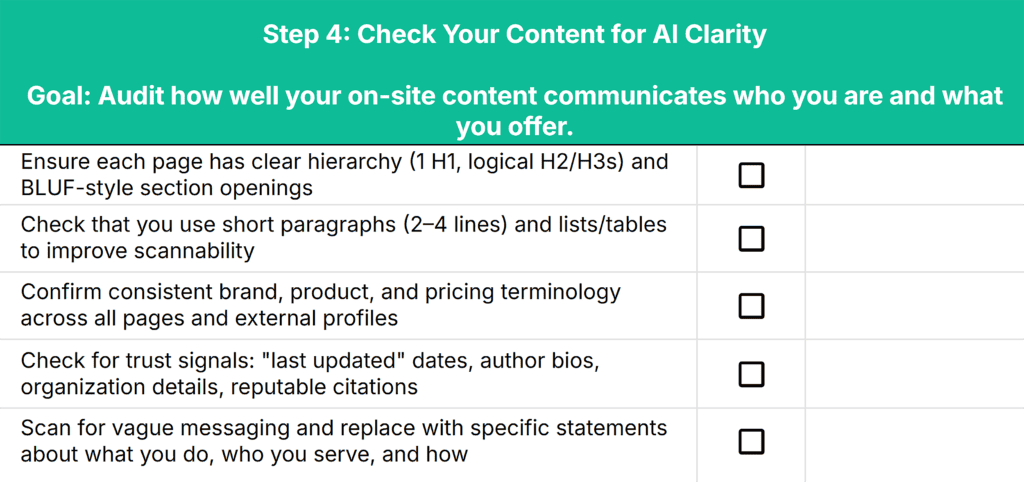
- Use one H1 per page, followed by descriptive H2 and H3 headings that mirror real search questions (“What Is,” “How To,” “Benefits Of,” etc.).
- Lead with the main takeaway using the “bottom line up front” (BLUF) method, a self-contained, direct answer before adding context or examples
- Keep paragraphs short (2–4 lines max) and avoid dense, multi-topic sections that lower readability and scannability
- Use lists and tables to summarize complex information and improve readability
Pro tip: During your audit, open a few top pages and check whether each section immediately answers a clear question. If you have to scroll or skim to find the main point, AI systems may struggle too.
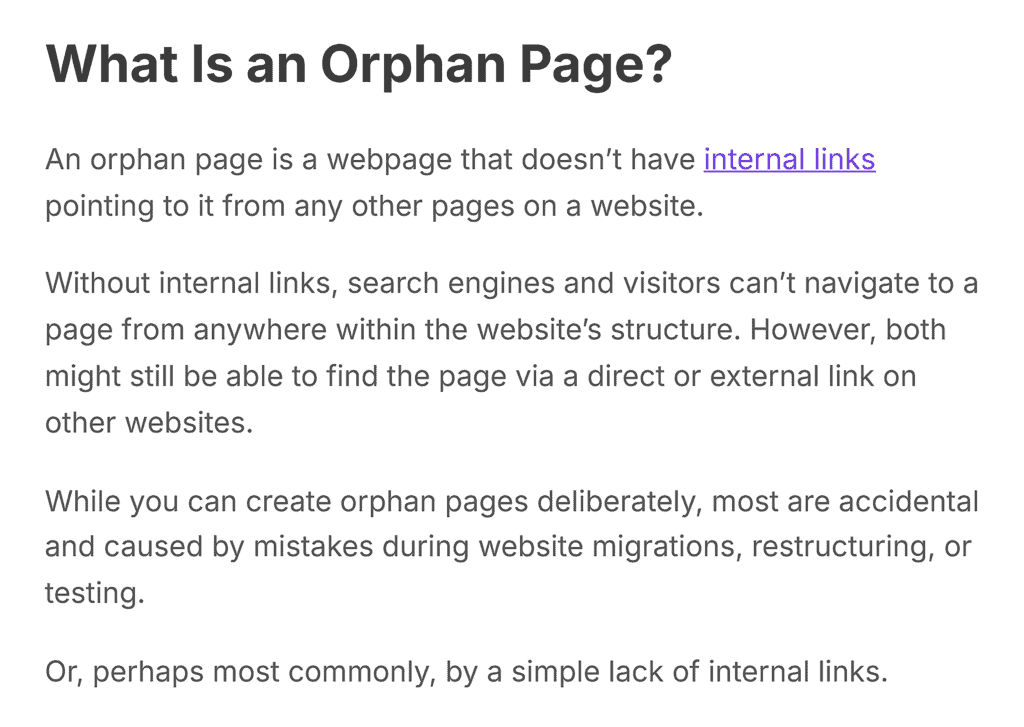
For example, in this TTT article, we lead with a straightforward question, “What Is an Orphan Page?” and a clear, succinct definition:
Verify Accuracy, Consistency, and Authority
Inconsistent brand messaging across platforms makes it harder for AI to understand what you actually offer. Check that you use the same terminology for your brand, product, and pricing across every page.
If you’ve changed your pricing model or product name in the past, make sure all references are consistent and accurate.
But don’t limit your audit to your site. Verify that social media profiles, past guest posts, and directory listings all feature consistent, accurate information.
Audit your site for trust signals that help AI systems recognize your credibility:
- “Last updated” dates that signal freshness
- Author bios and credentials that prove expertise
- Organization details that match your schema markup
- Reputable sources that back up claims and statistics
Have strong author bios but outdated statistics in articles? Note the discrepancies in Step 4 of your audit checklist.
Review Your Messaging for Clarity
Scan for vague marketing language that sounds nice but says little. If you find phrases like “[Brand name] helps businesses grow faster,” flag them. They don’t give AI systems (or readers) anything concrete to reference.
Replace them with statements that communicate what you do, who you help, and how you do it.
For instance:
- Weak: “Traffic Think Tank helps businesses grow faster”
- Clear: “Traffic Think Tank helps marketers increase organic and AI traffic through expert-led SEO courses”
The second version gives both readers and AI systems something specific: a measurable result, clear audience, and defined offering.
Pay attention to how you reference your brand throughout the page. Overusing pronouns like “we” or “our platform” makes it harder for AI to connect your claims to your brand. Use your full brand name a few times on each page and mix in pronouns for variety.
Pro tip: Unsure if your copy is clear enough? Paste a section into ChatGPT or Perplexity and ask, “Summarize this content in one paragraph.” If the summary skips your main message or doesn’t mention your brand name, your copy needs work.
Put Your AI Visibility Findings to Work
AI visibility depends on three pillars: external authority, technical crawlability, and on-site content quality and clarity.
Your audit has given you a clear picture of where you stand and where competitors have advantages.
Now use those findings to close gaps, sharpen your messaging, and strengthen the signals AI systems rely on to understand and recommend your brand.Once you’ve prioritized your fixes, dive into our generative engine optimization (GEO) guide for industry-specific strategies to further boost your AI visibility.